
Charmius Casino
App
The Charmius Casino app, available in Progressive Web App format, gives Canadian players quicker access to the lobby, games, account tools and support from a smartphone or tablet. Our mobile layout keeps slots, live casino tables, CAD payments, promotions and support in one place, so regular casino tasks stay within reach without returning to the desktop site.
Mobile Gaming At Charmius Casino
Mobile gaming at Charmius runs through browser access on Android phones and tablets, iPhones, and iPads. Chrome supports Android sessions, and Safari handles iOS access, with no separate store download required. Our mobile lobby adapts game cards, category rows and account pages for smaller screens, so the browser casino experience stays readable during regular play.
The Charmius Casino mobile app keeps key navigation accessible from the main screen. The compact mobile menu opens game categories, search tools, Cashbox, profile settings, promotions and support in a few taps. Main account tools stay visible during mobile sessions, so players avoid the longer desktop-style route on a phone or tablet.
Performance still depends on the device, browser version and connection quality. On mobile, speed matters beyond the first page load: games should open cleanly, balance checks stay quick, and the route back to the lobby remains clear after account or support actions.
How To Download The Charmius App
Mobile access at Charmius starts with the browser version of our casino. Canadian players can open the platform on a phone, tablet or desktop browser and use the main lobby, account tools, Cashbox, promotions and support without a native store download. This route keeps the mobile gaming experience connected to the same account system, with encrypted access, registered login details and verification checks for payment or profile actions.
The Charmius app download process uses Progressive Web App (PWA) technology to create browser-based access from the device home screen. Our PWA gives a more direct launch route, lighter storage use and browser-based updates across supported devices. It does not create a separate app account, change the balance or replace the web platform.
The shortcut can be added before registration or at any later point. New players can open the saved icon and complete sign-up from the mobile form. Registered players use the same email address and password after installation, with no separate app profile or extra account setup. Android setup runs through Chrome, and iPhone or iPad setup runs through Safari, so the installation path stays tied to the official Charmius website.
Charmius Android App Guide
Android setup runs through Chrome, so players add Charmius from our website instead of downloading a separate Charmius APK package. Setup requires a supported Android phone or tablet, Chrome access and a stable internet connection.
The Android route creates a PWA shortcut on the home screen, with browser-based updates handled through Chrome. This keeps installation tied to the official web platform and removes the need for third-party APK files or extra APK permissions.
We grouped the main Android setup requirements below for a quick pre-installation check:
| Android requirement | Details |
|---|---|
| Access route | Android PWA from our website |
| Supported devices | Android phones and tablets |
| Minimum system | Android 7.0+ |
| Browser | Chrome |
| Install option | Chrome installation menu |
| Download format | Browser installation, not a separate APK file |
| Security point | Use the Charmius website and avoid third-party APK sources |
| Updates | Applied through the browser when the platform updates |
Follow these steps to set up Charmius on Android:
- Open Chrome on an Android phone or tablet.
- Go to the Charmius website.
- Tap the three-dot menu in the top-right corner of the Chrome toolbar.
- Choose Add to Home Screen.
- Add the shortcut when the Create shortcut prompt opens.
- Find the Charmius icon on the Android home screen.
- Launch Charmius from that icon.
- Create an account or log in with the registered email address and password.
Accessing Charmius on iPhone and iPad
iPhone and iPad access runs through Safari, either from the mobile browser or from a saved PWA shortcut on the Home Screen. This setup works on iOS 13+ devices and supports mobile sessions over Wi-Fi or mobile data. Safari handles the installation menu and later browser-based updates, so players do not need an App Store download or a separate native iOS app.
We support the Safari setup route for iPhone and iPad access:
- Open Safari on an iPhone or iPad.
- Load the Charmius website in Safari.
- Tap the Share icon in the Safari toolbar.
- Select Add to Home Screen from the Share menu.
- Confirm with Add to save the Charmius icon.
- Open Charmius from the Home Screen.
- Register from the mobile form or sign in with the email address and password already connected to the Charmius profile.
Start using the platform on the device.
Mobile Registration and Account Access
Mobile registration follows the same account path as desktop access, with the form adjusted for phone and tablet screens. New players need to open Sign Up from the mobile menu, enter an email address and password, select Canada and CAD, then add personal details and address information before saving the profile. After registration, the account menu gives access to profile settings, Cashbox, bonuses and verification requests.
The Charmius Casino login flow uses the same registered email address and password as desktop access. Players can open Charmius from the mobile browser or saved PWA icon, enter the login details and continue from the account menu. If access fails, check the email address, password, and connection first. The ‘Forgot your password?’ link starts the recovery process through the registered email address. We request verification when identity, payment ownership or a security review needs confirmation.
Ready to feel the magic?
Up to 2,000 CAD + 100 free spins across two deposits. Claim on your first two welcome deposits, starting from 30 CAD.
2,000 CAD + 100 FS
Features Available in the Mobile App
The mobile version of our platform puts the main casino functions within reach during regular sessions. Players can use the compact menu to open games, check the balance, review bonuses, manage the profile and move to the Cashbox without returning to the desktop site.
The layout adapts game tiles, account pages and buttons for touch control, so each area remains readable on smaller screens. Routine actions stay clear during shorter sessions, especially when players move between games, bonus checks, balance updates and account settings.
Key mobile features include:
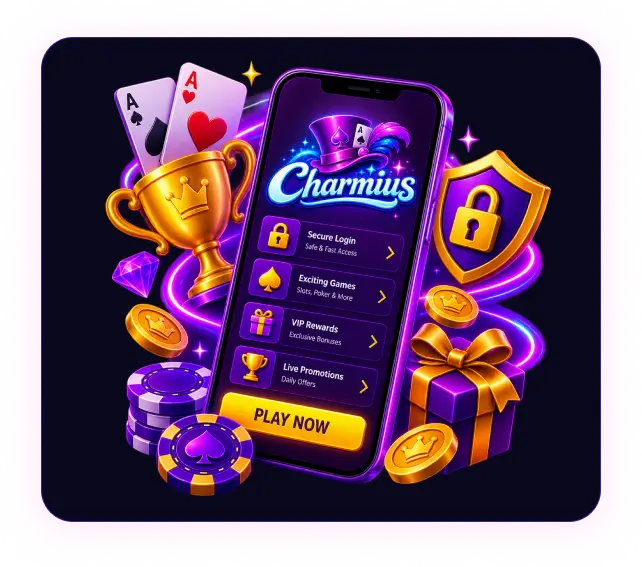
- Game lobby access with search, categories and readable game tiles.
- Cashbox access for deposits and withdrawal requests from mobile.
- Bonus area with active offers, wagering progress and free spin details.
- Profile tools for personal details, password recovery and verification requests.
- Device-level Face ID or PIN protection on compatible phones and tablets.
- Push notifications for selected promotions and app bonuses.
- Responsible gambling tools, including limits, cooling-off and self-exclusion.
- Live chat and email support for login, payment, verification or bonus questions.
Mobile Casino Games
The mobile game lobby keeps the Charmius Casino catalogue usable on phone and tablet screens. Canadian players can browse slots, crash games, live casino titles, TV-style formats and classic table games without opening the desktop site. Game cards, provider labels, category rows and search tools stay readable, so players can find a title without long scrolling on a smaller screen.
We grouped the main mobile game categories below:
- Slots with classic reels, Megaways formats, Hold & Win mechanics, Bonus Buy rounds, free spin features and jackpot slots.
- Crash and instant games, including Mines, Plinko, Limbo and step-based formats for quicker rounds.
- Live casino games with streamed dealer tables, wheel shows and touch-friendly betting panels.
- Table games, including roulette, blackjack, baccarat and poker.
- New and featured releases that appear in the lobby alongside regular categories.
Mobile performance matters after a game opens, not only before launch. Some titles stay in portrait mode, and others switch to landscape according to provider setup. Controls remain easy to tap during bet selection, balance checks and game rounds. The route back to the lobby also stays clear after account checks, balance reviews, or a move to the next title.
Mobile Bonuses and Promotions
Mobile rewards start with our “Install the App” promotion. After PWA setup, the account receives 20 no-deposit free spins automatically. These spins come with a 0.10 CAD bet value and a 40x wagering requirement.
We also prepared a quick overview of mobile promotions available from the account and promotions area:
- Welcome package: up to 2,000 CAD + 100 free spins across two deposits.
- Email verification gift: 10 no-deposit free spins with 40x wagering.
- Wednesday Free Spins: 20, 30 or 50 free spins after a qualifying Wednesday deposit.
- Weekly cashback: up to 10% cashback with 5x wagering.
Sunday Gift: 10%, 20% or 30% deposit bonus on qualifying Sunday deposits. - VIP and level rewards: cashback boosts, free spins and personal perks by rank.
Players can check mobile bonuses directly through the Charmius Casino app. The account area shows active rewards, wagering progress, expiry rules and free spin status before deposits, game sessions or withdrawal requests.
Mobile Banking Options
Mobile banking at Charmius runs through the Cashbox, with CAD deposits and withdrawal requests available from the mobile browser or PWA. Players need to choose a payment method, enter the amount, and confirm the transaction. We request verification when a payout check requires proof of identity or payment ownership.
| Payment method | Min deposit | Min withdrawal | Processing time |
|---|---|---|---|
| Interac | 30 CAD | 30 CAD | Up to 24 hours |
| Visa / Mastercard | 30 CAD | 30 CAD | Up to 5 business days |
| Neosurf / Flexepin | 30 CAD | Deposit only | Not available |
| MiFinity | Not available | 30 CAD | Up to 24 hours |
| Crypto (BTC / ETH / SOL) | 30 CAD | 30 CAD | Up to 1 hour |
Payment security relies on encrypted transactions, registered payment details and completed verification before withdrawals. Payment methods registered to third parties are not accepted for cashouts, so the selected payout method needs to match the player profile.
No Deposit Bonus
Welcome bonuses, Wednesday Free Spins, Sunday Gift, email confirmation free spins and PWA free spin gifts carry 40x wagering. Bonuses also have a 7.50 CAD maximum bet limit.
